I’ve built three router tables over the years, and I can tell you with absolute certainty that a weekend build using quality plans will outperform most commercial tables costing $2,000 or more. The secret isn’t in fancy features or premium materials. It’s in understanding what actually matters for precision routing.
Why DIY Router Tables Beat Commercial Options
Commercial router tables make compromises to hit price points and ship flat. They use thin stamped steel tops, flimsy fences, and undersized dust ports. When you build your own, you control every dimension, every material choice, and every feature that matters to your work.
My current table has a 1-1/2″ thick MDF top laminated with high-pressure laminate on both sides. That thickness eliminates any possibility of flex. The laminate provides a slick, dead-flat surface that stays true for years. Total material cost for the top? Under $80.
The Critical Components
The Insert Plate: This is where you should spend money. Buy a quality aluminum or phenolic insert plate with a precise opening for your router. Brands like Rockler, Kreg, and Woodpeckers make excellent plates that cost $60-100. That investment pays off every time you make a cut.
The Fence: Commercial fences often flex under lateral pressure. Build yours from two layers of 3/4″ MDF or Baltic birch with a T-track mounted on top. Add adjustable faces that can be shimmed perfectly parallel to the bit. Include a micro-adjustable stop block system using threaded inserts.
Dust Collection: Most commercial tables have a single 2-1/4″ port somewhere ineffective. Build your fence with a 4″ port directly behind the bit opening, and add another port below the table. You’ll capture 95% of chips versus the 50% most commercial setups manage.
The Build Process
Friday evening, you’ll laminate the top. Cut two pieces of 3/4″ MDF to your final dimensions (I recommend 24″ x 32″ minimum), apply contact cement, and carefully bond the plastic laminate. Let it cure overnight.
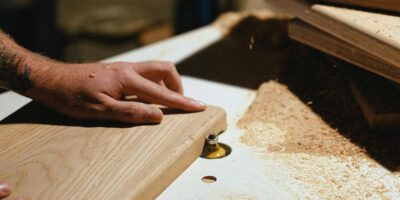
Saturday morning, use a flush trim bit to clean up the laminate edges, then route the opening for your insert plate. This requires precision. Use a template and a pattern bit, taking multiple shallow passes. The insert should drop in with zero play and sit perfectly flush.
Saturday afternoon, build the cabinet. Simple construction works: a torsion box base with 2×4 legs and a shelf for your router motor and dust collection hookup. Add locking casters for mobility.
Sunday, construct the fence and dial in the system. Install T-track, add featherboards, and make test cuts. Fine-tune until everything is dead-on.
Features Worth Adding
A router lift is a game-changer for bit changes and height adjustments, but they cost $200-400. If budget is tight, start without one. You can always add it later. What you shouldn’t skip: a quality switch mounted at the front of the table where you can hit it with your knee in an emergency.
Install a dedicated 20-amp circuit if possible. Quality routers pull 12-15 amps under load. A dedicated circuit prevents the dimming lights and tripped breakers that plague shared circuits.
The Cost Breakdown
Here’s what my last build cost: MDF and lumber, $120. Laminate, $45. Insert plate, $85. Hardware and T-track, $60. Switch and wiring, $25. Total: $335. That bought me a table with a perfectly flat top, a fence that locks down without flexing, dust collection that actually works, and the satisfaction of building it myself.
Compare that to a $2,000 commercial table with a stamped steel top, plastic adjustment knobs, and a fence that needs constant tweaking. The DIY table wins every time.
Your router is one of the most versatile tools in the shop. Give it a proper home, and you’ll wonder why you ever considered buying a commercial table. The weekend investment pays dividends for decades.
Subscribe for Updates
Get the latest articles delivered to your inbox.
We respect your privacy. Unsubscribe anytime.