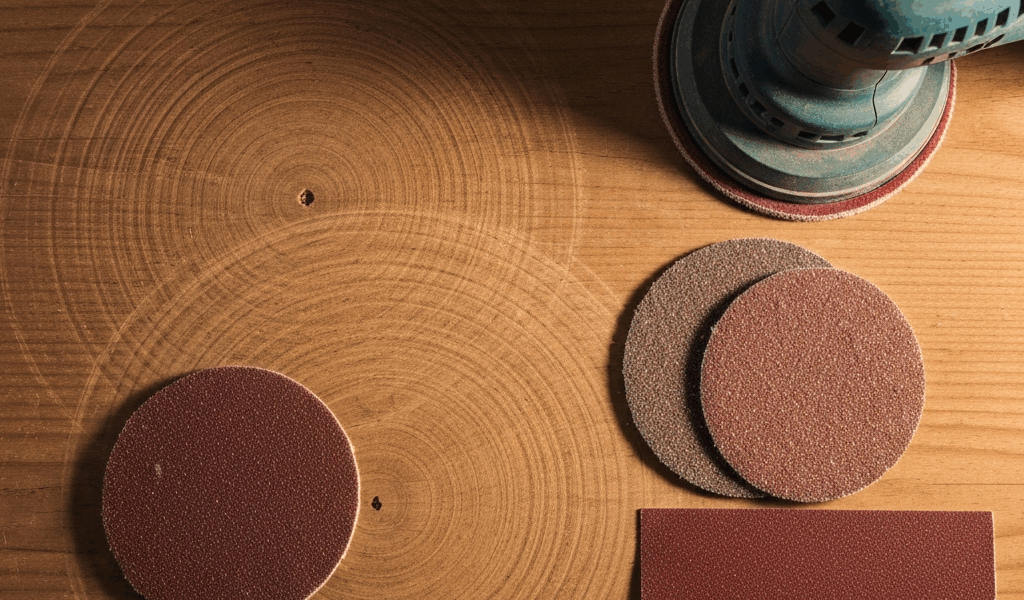
Why Orbital Sanders Leave Swirl Marks
I spent three years finishing furniture before those circular ghost patterns on walnut tabletops actually made sense to me. Orbital sander leaving swirl marks — it’s one of the most common complaints from woodworkers moving beyond their first project, and the frustration is completely warranted. The marks appear because something in your sanding system isn’t working in concert with the others.
Rarely is it just one culprit. A worn pad glazed with fine dust and resin residue won’t cut aggressively enough to level the surface, so it rides over high spots instead of shaving them down. You jump from 80-grit directly to 150-grit and suddenly you’ve skipped the intermediate sanding stage that erases the previous grit’s scratches — those deeper marks ghost through the final finish like watermarks. A machine running at 12,000 orbits per minute on 220-grit sandpaper generates more heat than friction, literally burnishing the wood surface instead of cutting it. Then you press down hard on the sander because you think more pressure equals faster results, and you’re actually slowing the pad’s movement and creating uneven contact across the platen.
Entry-level orbital sanders — the $40 box-store models — sometimes have inherent pad wobble. The baseplate flexes or the pad backing plate isn’t perfectly flat, so contact pressure varies across the sanding surface. Probably should have opened with this section, honestly, because machine quality matters more than technique once you’ve ruled out the obvious fixes.
Diagnose Your Swirl Mark Problem
Before you buy a replacement sander or obsess over technique, isolate the variable causing the marks.
Sand a test piece of the same wood species you’re working on. Use your current setup — same machine, same pad, same grit. Make three passes: one with the grain, one perpendicular, one at 45 degrees. Look at the result under bright light at a low angle. Are the swirls uniform circular patterns, or do they follow your hand motion irregularly? Uniform circles point to machine speed or pad wear. Irregular marks suggest pressure variation or technique.
Check the sander itself. Flip it over and run your fingers across the pad backing plate. It should be flat. If it’s cupped, warped, or has shiny wear spots surrounded by dull areas, the pad contact is compromised. Grab the pad — does it wiggle side-to-side? Even 1–2 millimeters of play will cause swirls.
Examine your pad directly. Adhesive-backed pads sometimes develop flat spots or thin patches where they’ve glazed from dust loading. Hook-and-loop pads are easier to assess — you’ll see the loop fibers matted down in certain areas, often unevenly. Hold the pad up to a light source and look for shadows that indicate non-uniform wear or backing plate warping showing through.
Note your grit progression. What grit did you sand with before your current one? If you jumped from 80 to 180, you’ve found your problem. If you’re on 220 and started with 100, that’s a legitimate progression and grit shouldn’t be the culprit.
Test machine speed. Most orbital sanders have variable speed controls marked in orbits per minute — usually 10,000–13,000 for standard 5-inch models. Is yours maxed out? Fine grits, finishes, and veneered surfaces benefit from slower speeds. Coarse grits on solid hardwood can handle higher speeds.
Fix Your Sanding Technique First
Technique fixes cost nothing. Let the machine work.
Pressure is the biggest mistake I see. Most people press down with 5–10 pounds of force, thinking it accelerates the sanding process. The opposite happens. Heavy pressure slows the pad’s orbital motion and increases heat buildup, which glazes the grit and burnishes the wood. The sander’s weight provides enough force by itself — your job is guide, not driver. Rest your hand on top of the machine and let gravity do the work. Genuinely, barely any downward pressure beyond the machine’s own weight.
Speed matching matters. For 80–100 grit, 12,000–13,000 orbits per minute is fine on solid hardwood. For 120–150 grit, dial back to 11,000–12,000. For 180–220 grit, run at 10,000–11,000. Fine grits generate finer dust and less cutting action; slower speeds prevent burnishing and reduce swirl visibility. The correlation between speed and grit isn’t magical, but it’s real.
Direction changes break up swirl patterns. Sand one area with overlapping passes along the grain, then rotate 45 degrees and make perpendicular passes with lighter overlap, then finish with the final grain direction. This cross-hatching erases directional tool marks. Don’t stay in one spot — move the sander in slow, steady motions. Letting the machine dwell in a single location heats the surface and deepens swirls.
Dwell time is the habit nobody talks about. Many woodworkers park the sander on the work surface while taking breaks or repositioning themselves. That stationary pad creates a burnt spot and heat-deepened swirls. Keep moving, even if it’s slow moving. Five seconds of stationary contact at full speed can etch a mark you’ll sand through for hours.
Replace or Refresh Your Sanding Pad
Worn pads are responsible for maybe 40 percent of swirl-mark complaints. A dulled pad cuts less efficiently and bounces more, creating the circular pattern.
Hook-and-loop pads — the Velcro-style backups — are easiest to replace. A quality 5-inch hook-and-loop pad costs $8–15 per pad. Mirka, 3M, and Festool all make legitimate mid-range options that outlast the $2 supermarket versions by months. Adhesive-backed (PSA) pads require more care and stick permanently, so inspect them before committing.
Before replacing, try cleaning. If the pad feels glazed and caked with fine dust, vacuum it thoroughly, then lightly brush the surface with a soft wire brush — brass wire works well — under running water. This removes dust coating and can restore cutting efficiency. Let it dry completely. A cleaned pad often resurrects for another 2–3 hours of work on fine grits.
Check pad flatness by placing it on a flat surface and running your fingers across it. If you feel waves or soft spots, replace it. A warped pad will never sand flat regardless of technique. Ensure the backing plate itself is flat the same way — many sanders develop backing plate dish over time, especially if stored standing upright or exposed to heat.
Pad type matters less than condition, but hook-and-loop is forgiving for amateurs because you can peel and replace mid-project. PSA pads require more planning.
Adjust Your Grit Progression Strategy
Skipping grits creates ghost swirls — scratches from the previous grit shadowing through the finish even after sanding with finer grits.
A standard progression for solid hardwood is 80 → 120 → 150 → 180 → 220 for final pre-finish sanding. You can compress this slightly — 80 → 120 → 180 works in a pinch — but jumping more than two grits introduces risk. Softwoods accept slightly larger jumps (80 → 150 → 220) because the wood is less dense and scratches less aggressively. Veneer and fine furniture demand tighter progressions: 100 → 150 → 180 → 220 minimum.
The reason is geometry. An 80-grit particle creates a scratch roughly 200 micrometers wide. A 120-grit particle creates a scratch around 125 micrometers. If you skip 120 and jump straight to 150 (90 micrometers), your 150-grit pad removes the 200-micrometer scratches from 80-grit, but it doesn’t completely erase them — it just makes them shallower. When stain or finish hits those shallow grooves at a shallow angle under certain light, they become visible as ghost marks.
Working backward also helps troubleshoot. If you see swirls on a finished piece and you used proper technique and fresh pads, check your grit jumps. Likely you skipped a stage somewhere.
When Swirls Mean Buy a New Sander
Some machines are simply worn out or built cheaply.
If your sander shows uneven pad contact — meaning the pad touches the work surface at the edges but not the center, or vice versa — the baseplate is warped or the backing plate is defective. You’ll notice this by sanding a flat test piece and seeing edge-heavy wear patterns that don’t match your sanding direction. No technique change fixes this. Backing plates cost $30–80 to replace on quality machines. On $40 orbital sanders, replacement parts don’t exist or cost as much as a new unit.
High-frequency vibration that persists even after technique correction, pad replacement, and speed adjustment suggests bearing wear or baseplate flex. Mid-range orbital sanders — Dewalt, Metabo, Makita 5-inchers in the $120–250 range — have replaceable bearings and robust plates. Entry-level models have sealed, non-replaceable bearings that fail catastrophically.
Uneven pad wear — certain sections flatten while others stay fluffy — usually means the backing plate isn’t flat. Buy a replacement backing plate if available. If not, the machine is reaching end-of-life. A quality orbital sander should last 100+ hours of active sanding. Budget models tap out around 30–40 hours before this kind of degradation.
The $40 sander versus the $150 sander isn’t about speed or power — it’s about platen flatness and bearing longevity. Invest in the better machine if you’re finishing more than one project.



Stay in the loop
Get the latest the workshop journal updates delivered to your inbox.